SEO & content
Stop letting images sit there as dead weight. Structured data and auto SEO metadata make them understandable to search and AI — and the interactivity is what earns the link back.
PinPic turns any image into an experience that gets found, gets understood, and gets clicked — and lets you measure all of it.

Answer engines summarize static text and keep the click. An interactive experience is something they can't reproduce — so they send people to the source. Build the experience, and you become the destination instead of the footnote.
Same product, four jobs. Pick the one that sounds like your week.
Stop letting images sit there as dead weight. Structured data and auto SEO metadata make them understandable to search and AI — and the interactivity is what earns the link back.
Turn the image people already look at into a conversion surface. Add CTA buttons to the visual, then see exactly which spots get tapped and which drive action.
Explain a complex visual in place instead of a wall of text beside it. Stack a description, a video, and a link inside a single point on the image.
Make the product shot shoppable without rebuilding the page. Tag materials and features, link pins straight to checkout, and track what shoppers explore.

Drop a CTA button right on the visual — like “Shop the jacket” — and the image becomes a place people convert, not just look. Then the analytics show you which spots earn the clicks.

Tap a pin on this kitchen shot and a tooltip opens with its own copy; the “Dinner, Finally” pin adds a button to the recipe. Same idea sells a product, walks through a device, or teaches a concept — right on the picture.
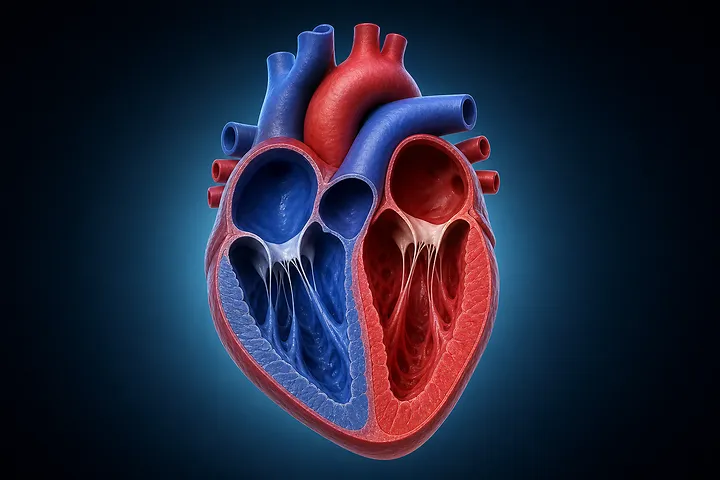
Drop a pin on every part and the labels live on the image itself — tap to learn what each piece is and what it does, instead of hunting through a key off to the side.
No image? Generate one. Don't know where the pins go? PinPic suggests them.
Upload your own or generate one from a description.
Place pins yourself or let PinPic suggest them.
Add copy, a CTA, video, and tooltip styling.
Paste one script — SEO fallback and analytics follow.
Everything you'd check before putting it on a live page.
A static image with alt text loads first, with zero layout shift, then upgrades to interactive.
Six responsive webp sizes (256–2000px) served from the CDN.
Titles, descriptions, and alt text generated for every image via AltText.io.
Drop-in script or iframe for any CMS, email, or LMS.
Owner and contributor roles so teams build together safely.
Full REST API to create, manage, and embed images programmatically.
Upload or generate an image, add hotspots, and embed it anywhere — in minutes.